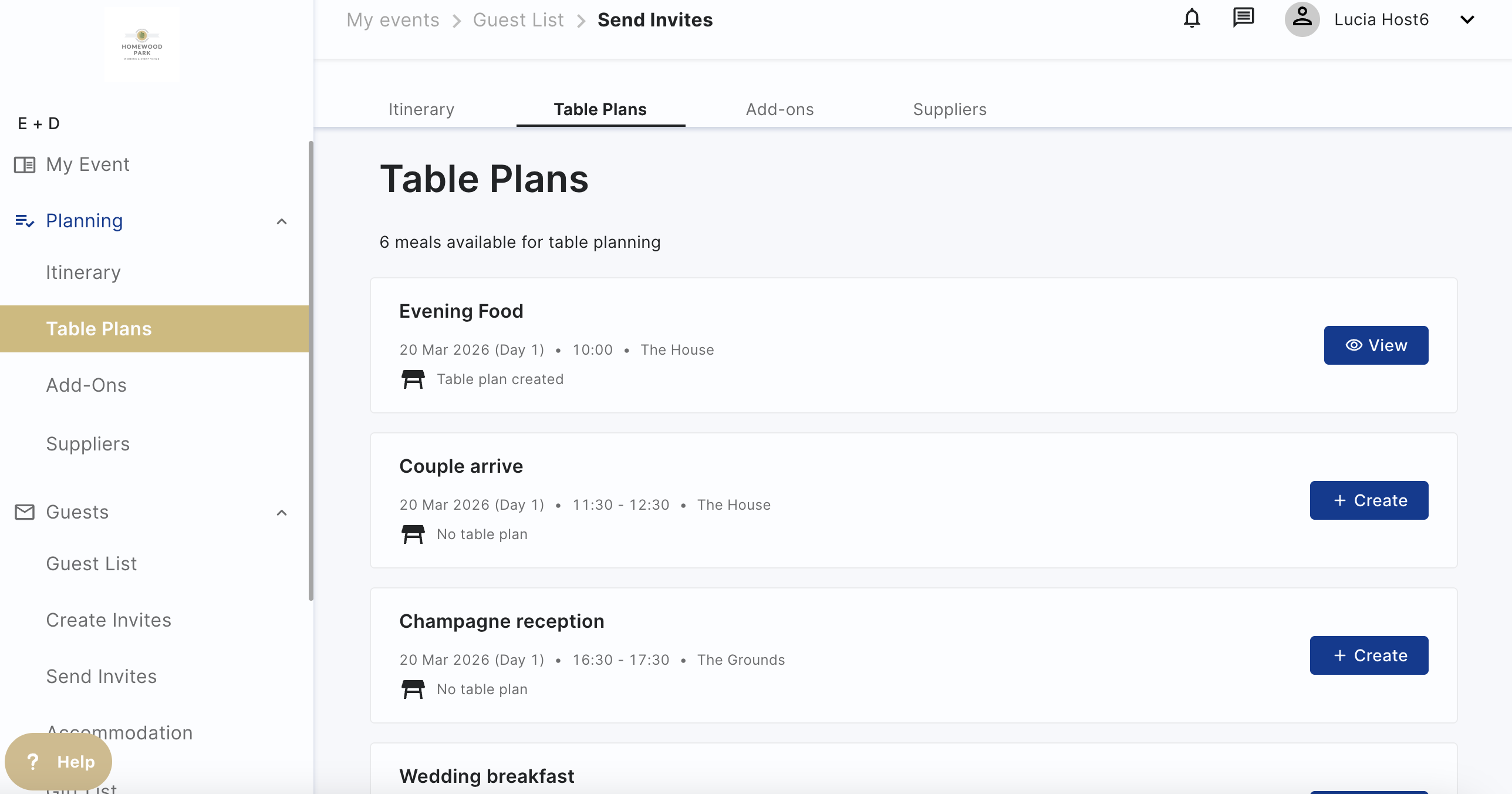
Table Plans
Create table plans on Hostology to easily share with your venue and the catering team. Table plans are available to create for any itinerary item that has food attached.
NB. If you cannot see any itinerary items for your event and want to create table plans, contact your venue and ask them to add them in!
To create your table plan, please make sure you follow these steps:
- Add your guests to the guest list
- Check that they are assigned to the correct invite in Send Invitations (this is automatic with the Default Invite, if you create a new one, you will need to manually add your guests to the Invited column)
- Go to the Table Plans and create your plan
Go to Table Plan, select the itinerary item you want to create the plan for.
How to create a table plan
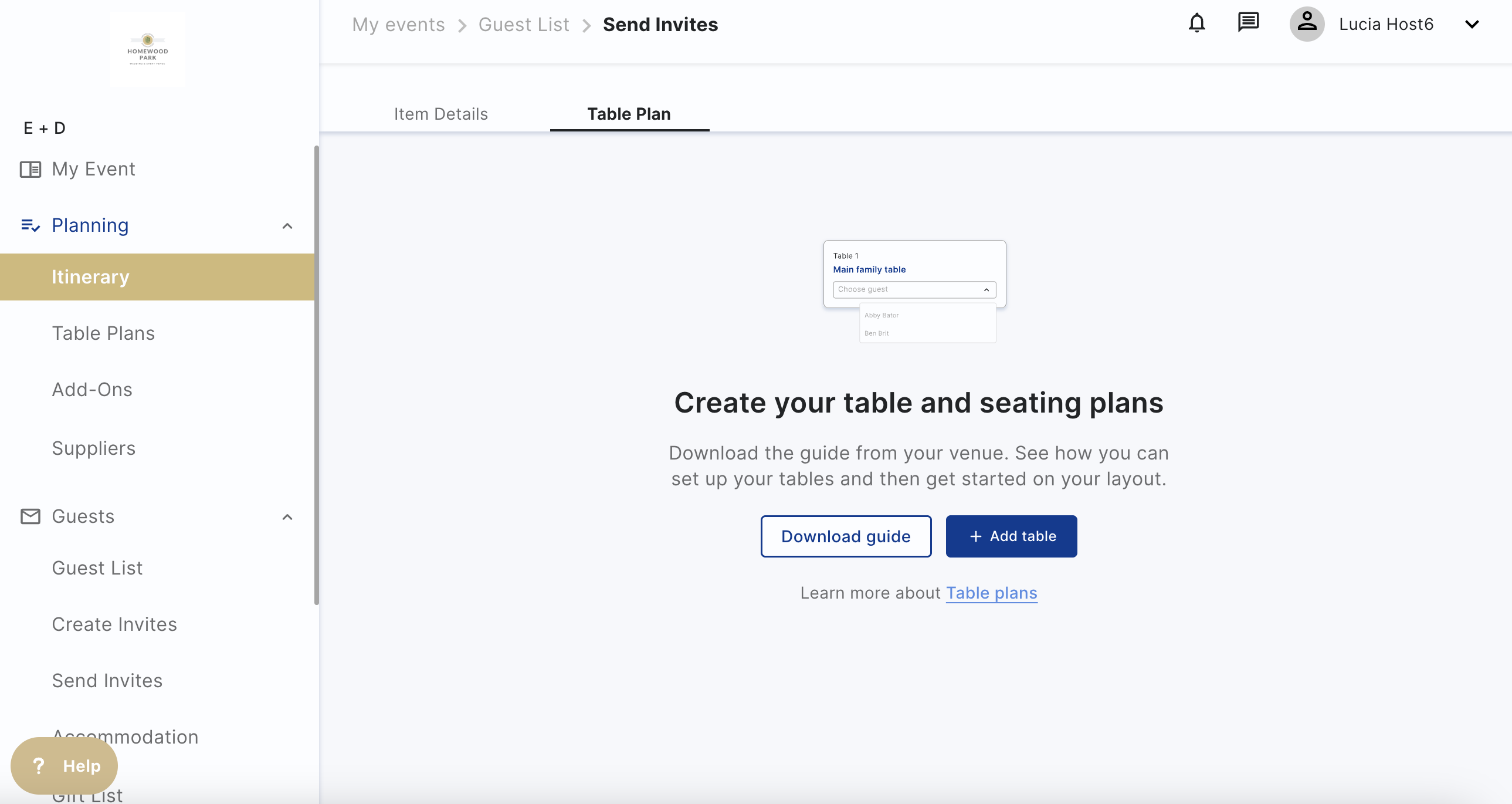
1. Download the guide shared by your venue to see the layout options and Click on '+ Add table':
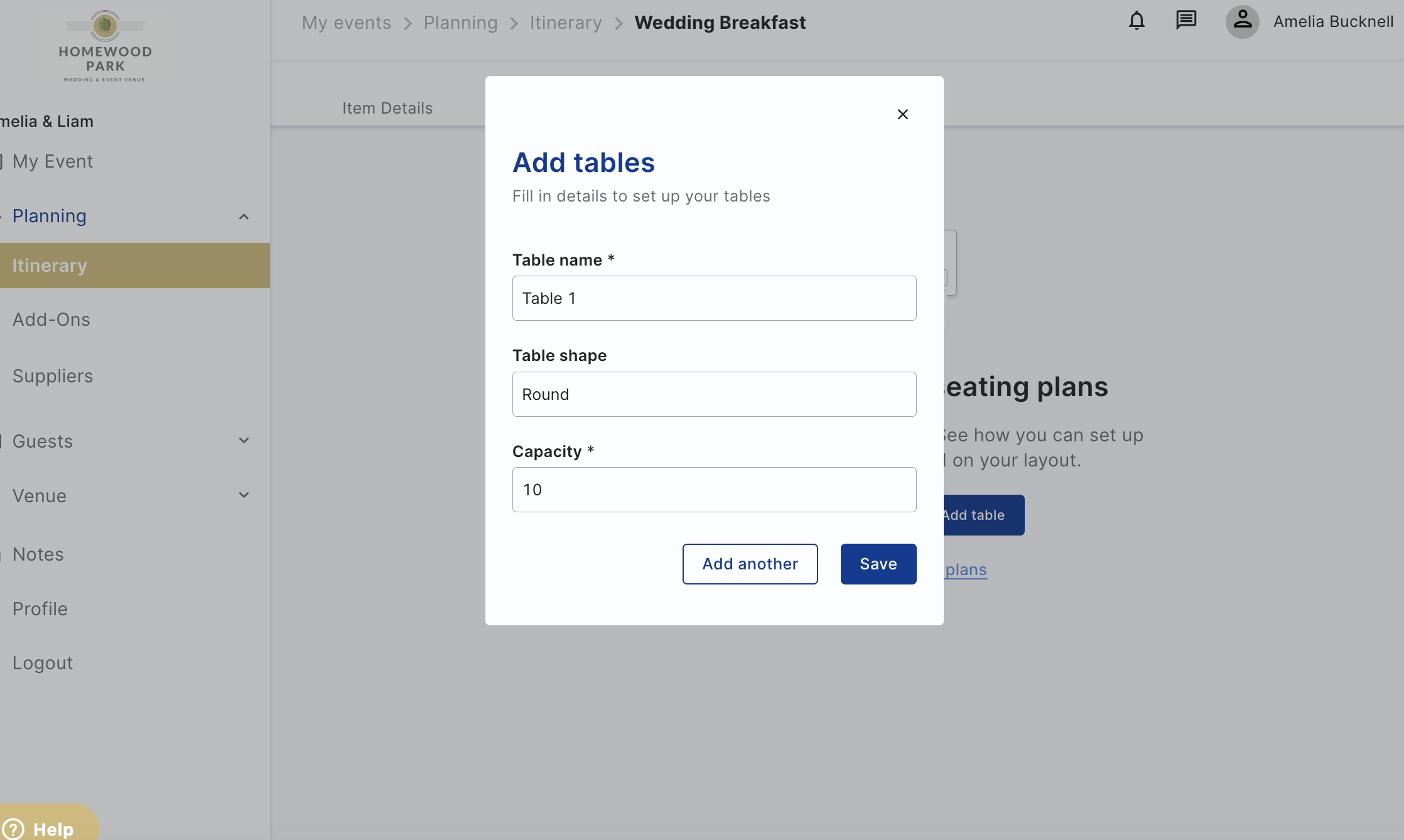
2. Fill out the table information based on the venue document and click 'Save'. If you wish to add another table click 'Add another':
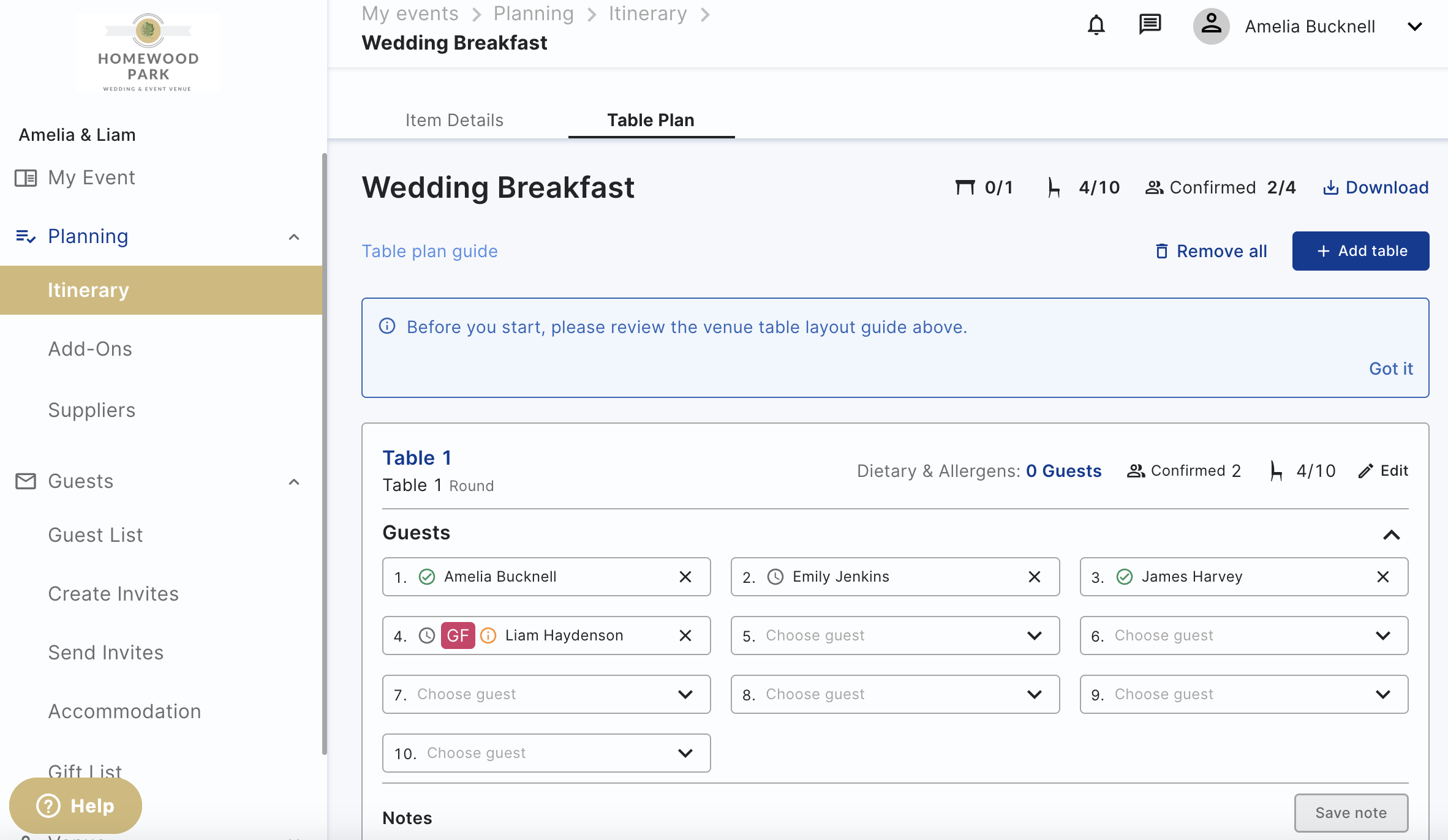
3. Click on each box and choose which guests to assign to each seat:
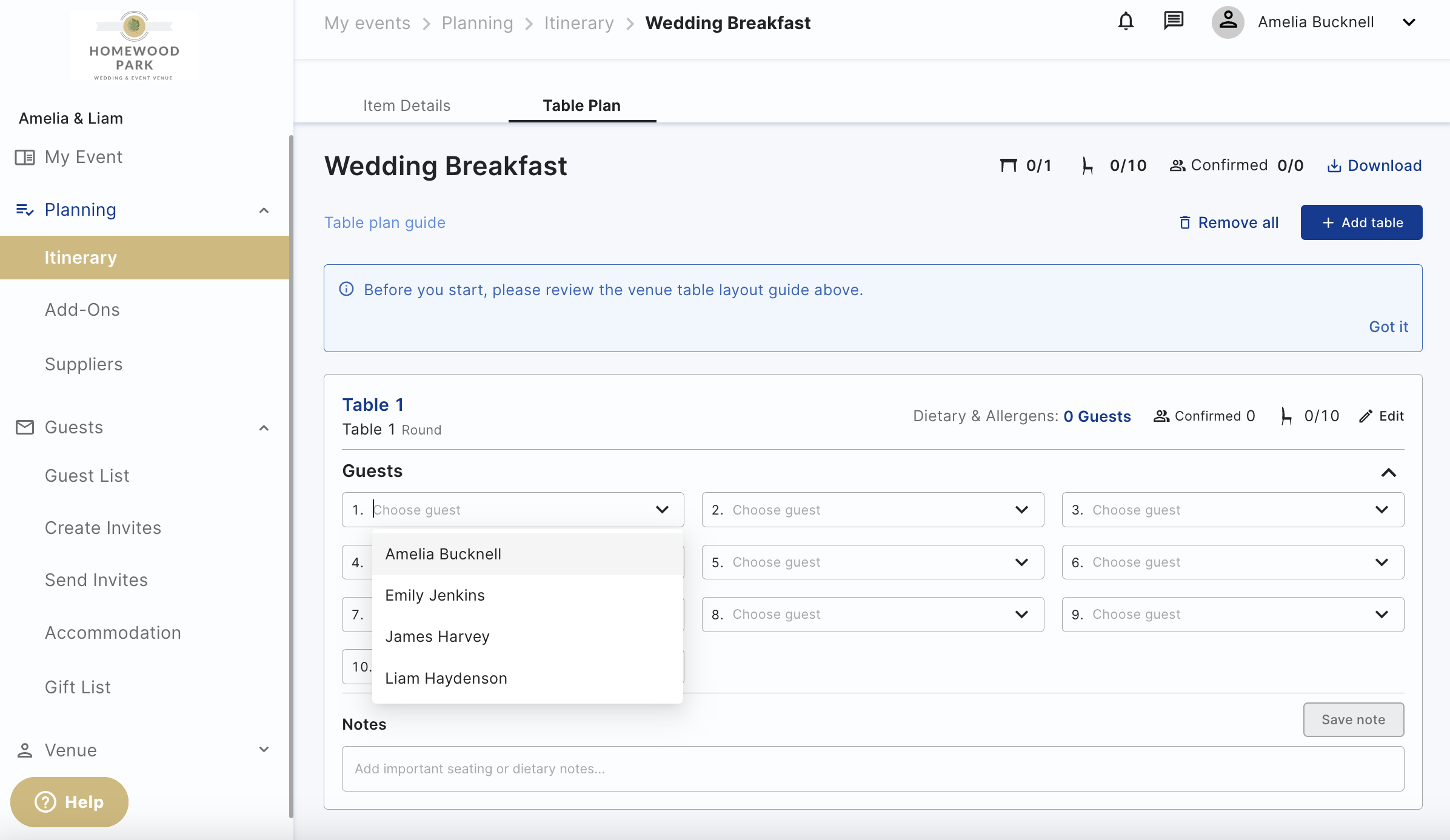
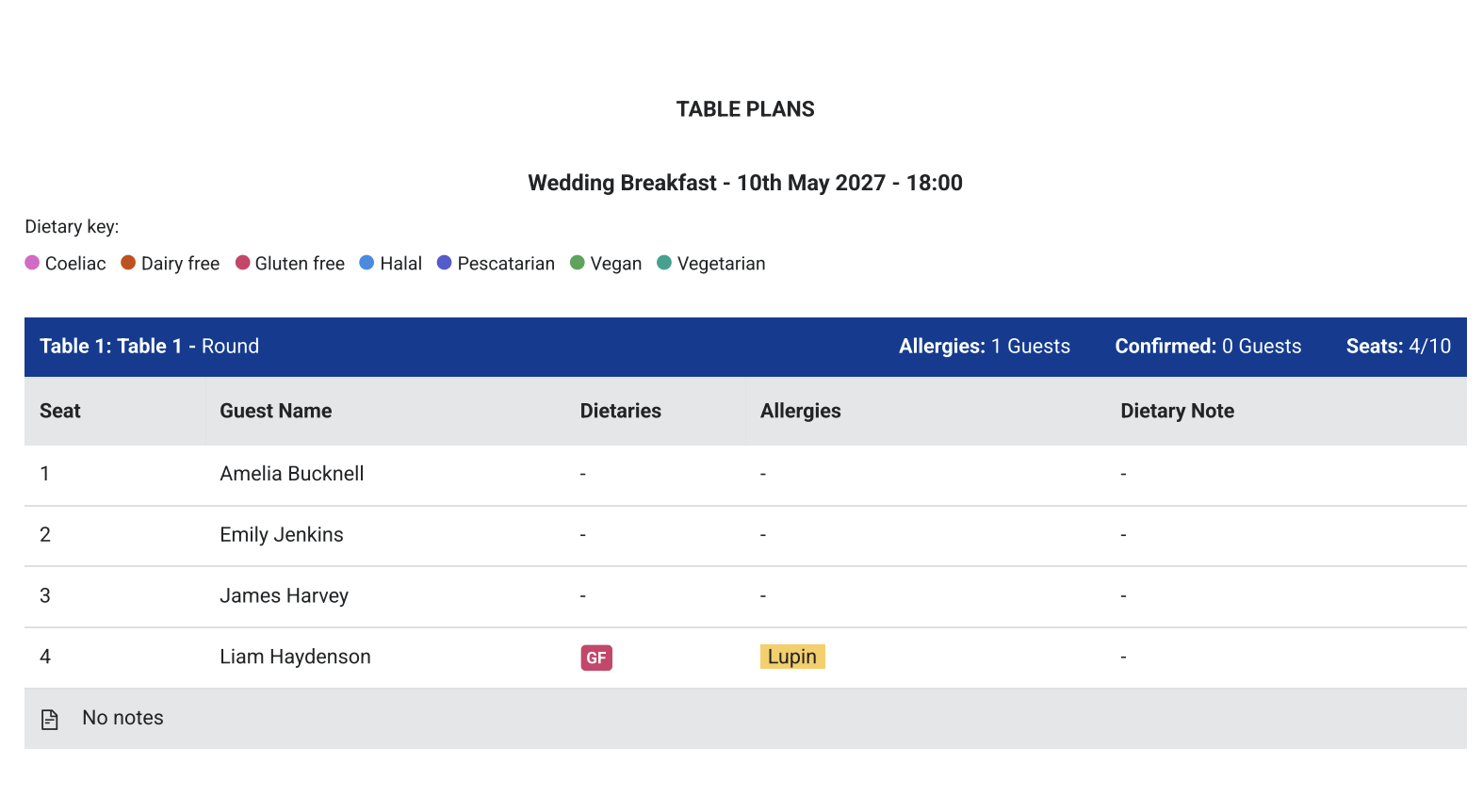
You can also add notes to each of your tables, this will show on the PDF download next to each table and to share information with the catering team.
If you don't see your guests in the drop down, please check if they are invited. You don't need to send them the invite but they do need to be in the invited column in Send Invites.
How to download and share your table plans
To download the table plan PDF, click on the download button on the top right of the table plan page. This will download your table plans showing your guest's dietary information and where your guests will be seated.